
1
AI Integration in NGO Work
AI Integration in NGO Work
Content
NGO Awero team experience and tips in using AI (so far)
Our experience
When generative artificial intelligence (AI) tools appeared, the Awero team actively started testing their potential in the organisation’s activities. We started with OpenAI’s ChatGPT.
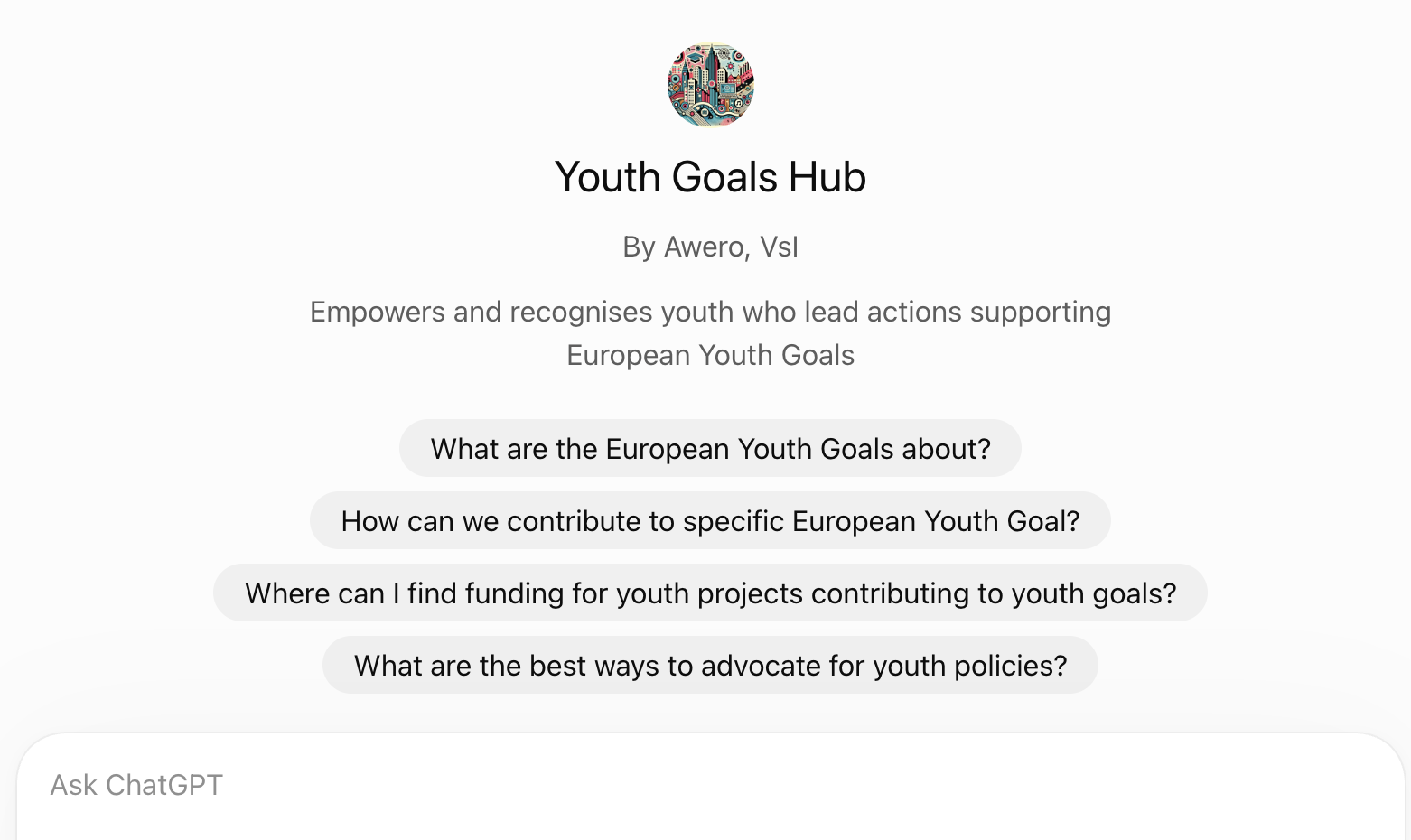
Later we created custom GPT assistants (Custom GPTs): we “trained” several assistants that know our field, draw on the sources we provide, write in our style and create visual materials in line with our organisation’s visual identity. Within several projects, we created and made the following assistants publicly available:
Our team keeps testing other tools as well. We noticed that Perplexity.ai is much more effective for searching and exploring information online and gives accurate sources and links.
Since late 2025, we have been using Claude AI much more actively. It is great at formatting documents, keeping a consistent visual style, and creating tables, templates and simple interactive tools.
We often prepare reports or studies that require analysing the situation in several countries and producing an overview. Here AI is a good and efficient helper: it summarises the documents provided, highlights the key points and compares countries with each other. However, we always check and formulate the final analysis and conclusions ourselves.
How can AI be useful for NGOs and nonprofit organisations?
Conversational AI tools (Claude, ChatGPT, Gemini, Copilot, etc.) can become an “extra team member” in many everyday NGO tasks. Below are the areas where AI helps us and our partners the most.
Project development
Structure an idea, check an application against the call criteria, find weak points, shorten text to a character limit.
Example: “Assess this project section description as an evaluator, using the attached quality criteria.”
Reports and documents
Summarise material, outline the structure of a report, format a document, prepare a summary.
Example: A draft final project report based on activity descriptions, participant feedback and meeting notes.
Research and analysis
Search for information with sources, compare documents from several countries, identify trends.
Example: A multi-country youth policy overview based on national reports provided by partners.
Data analysis
Group open-ended answers into categories, count them, create tables and charts.
Example: Analysis of participants’ needs questionnaires and prioritisation of training topics.
Planning trainings and events
Draft a programme, session plans, ideas for non-formal education methods, evaluation questionnaires.
Example: A 3-day training programme for youth workers with methods and timing.
Communication
Write invitations, social media posts, newsletters; adapt text to different audiences and to plain language.
Example: The same invitation for partners, young people and the municipality.
Translation and multilingualism
Translate documents, keep terminology consistent, check language correctness.
Example: Training materials to English with the organisation’s glossary of terms.
Documenting seminars
Turn photos of flipcharts or meeting notes into clean text, conclusions and an action list.
Example: Transcription of participants’ flipcharts and a summary of session results.
Visual materials and templates
Create templates for documents, presentations and posters in line with your visual identity.
Example: A poster with seminar conclusions in the organisation’s colours.
Simple digital tools
Create a tracking sheet, quiz, checklist or interactive page without any coding skills.
Example: A tracking sheet of project activities and deadlines for partners.
Learning and recognition
Help participants reflect, formulate learning outcomes, create badge criteria and open educational resources (OER).
Example: Youthpass reflection questions; a draft of badge criteria.
Claude AI features worth trying (or similar Gen. AI)
In our experience, Claude AI is especially useful for NGOs because of these features (specific features depend on the plan and are constantly updated):
- Projects – a separate workspace for a specific project: you upload the project application, guidelines, visual identity and standing instructions, and every new conversation already “knows” the context. This is similar to a Custom GPT.
- Working with files – It can read PDF, Word and Excel files and images (e.g. photos of flipcharts from a seminar), summarise them, compare them or convert them into another format.
- Creating documents, tables and tools – Claude can directly create a well-formatted document, table, presentation or small interactive tool that you can download or share.
- Web search – it can search for up-to-date information and cite its sources (it is always worth opening and checking them).
- Memory and personal preferences – you can tell Claude how you want it to write (e.g. terminology, tone, language), so you don’t have to repeat it every time.
- Connections to other tools – Claude can be connected to, for example, Google Drive or other platforms, so it can work with your documents where they are stored.
- Claude for Nonprofits – non-profit organisations can get up to a 75% discount on Claude Team and Enterprise plans, and Anthropic Academy offers a free course “AI Fluency for Nonprofits”.
Tips for working with AI
- Have a conversation with an AI tool. The first answer is only a draft. Refine it: “shorter”, “more examples from youth work”, “change the structure”.
- Ask the AI to ask you questions. Start with: “Before you answer, ask me the questions you need to produce a good result.”
- Give examples. Upload a previous good document and ask the AI to write in a similar style or structure.
- Use AI as a critical friend. “Read this as an evaluator and point out the 5 weakest points” is often more useful than “write it for me”.
- Ask for sources and check them. AI can give convincing-sounding but inaccurate information – especially about programme rules, deadlines, numbers and quotes.
- Responsibility stays with people. Review the final text, adapt it to your own voice and check the facts before sending it to partners or funders.
- Be transparent. If AI contributed significantly to a document or visual, say so – especially when working with young people and when reporting.
- Take care of terminology. Give the AI your own glossary of terms so translations stay consistent.
- One long task – one conversation or project. In very long conversations AI may “forget” earlier details; in that case, start a new conversation with a short summary.
If you don’t have much experience, you can always ask the AI tool itself what the best prompt structure would be so that the result meets your expectations as closely as possible.
Prompt examples
A few prompt examples that you can adapt to your needs:
Create a table
From the attached list of partners, create a table with the columns: organisation, country, contact person, email, responsibilities in the project. Mark where information is missing.
Create a report
Based on the attached activity descriptions and participant feedback, prepare a draft final project report following this structure: [paste the questions of the report form]. For each statement, indicate which document it comes from. Where data is missing, mark it rather than making it up.
Create a template in line with the visual identity
I am attaching our organisation’s visual identity guidelines (colours, fonts, logo). Create a Word document template for meeting minutes: header with logo, date, participants, issues discussed, decisions, responsible persons and deadlines.
Transcribe flipcharts from a seminar
I am attaching photos of 6 flipcharts from a seminar. Transcribe all the text, group it by flipchart, and at the end highlight recurring ideas. If you can’t read any handwritten text, mark it as [illegible].
Create a process tracking tool
Create a simple tracking sheet for the activities of our international project: activity, responsible partner, deadline, status (planned / in progress / done), notes. Add colour coding for delayed activities.
Security and privacy
When you use most popular AI tools, your data is sent to the tool provider’s servers. So always consider which data you want to upload and which you don’t.
Don’t upload personal data unless necessary. Avoid lists with names, contacts, personal ID numbers or financial data. Anonymise information before uploading it (e.g. replace names with “Participant 1”, “Participant 2”).
Take special care with data about minors and vulnerable groups – health, family situation and other sensitive information.
Comply with the GDPR. Check whether participants’ consent and your privacy policy allow their data to be processed in this way.
Check the data use settings. In most tools you can specify that your conversations should not be used to train models. Organisational plans (e.g. Team, Enterprise) usually do not use your data for training by default – check the specific provider’s terms.
Distinguish “memory” from “training”. These are different settings: memory helps the assistant remember your preferences between conversations, while the training setting determines whether your data may be used to improve the model.
Use organisational rather than personal accounts for work documents, so that information doesn’t stay in personal accounts when team members leave.
If you don’t know how to set up stronger privacy, ask the tool itself or look through its privacy settings and help pages.
This resource is part of the LearnINN project, which supports innovation in youth work and NGO practice.
This resource is under Creative Commons licence: Attribution-NonCommercial-ShareAlike 4.0 International (CC BY-NC-SA 4.0)


Resources
Get activity badge
AI Integration in NGO Work Get this badge
The badge holder has shown that they can use generative AI tools such as Claude or ChatGPT as a practical support in their organisation’s work. They can write a clear, well-structured prompt for a real work task. They improve the result by continuing the conversation with the AI. They review the AI output critically and do not accept it as it is. They check facts, sources, terminology and tone. They take responsibility for the final result and stay aware of data privacy and ethical issues.
The badge was issued as part of the LearnINN project, which supports innovation in youth work and NGO practice. It builds on how Awero NGO uses AI and on the learning resource “AI Integration in NGO Work" .
Tasks
Task no.1
Evidence verified by: self-approved
Write a good prompt. Pick a real task from your work or organisation.
Share your insights. In a short reflection - describe what you corrected or checked in the AI’s result (facts, sources, terminology, tone). Also explain what you learned about working with AI from this task.
Skills
ETS-TR
#Understands the impact of Artificial Intelligence on choosing learning objectives when using online platforms for learning
Organisers
Awero
Badge issuer recognized with

Awero not-for-profit organisation manages this platform and develops it together with leading educational organisations. The European Union's programme Erasmus+ granted co-funding for building the first version of this platform. Contact support@awero.org.
Platform
Change to another language: